Getting Started
I start all my illustrations with concept sketches. As a client this is useful to you because we are able to get exactly the layout and design that you want with very little wasted time. I am able to scan these sketches and do the review process through email if needed. If a logo design or something similar is being created, I provide the client with as many different variations as needed to find a design that they are happy with.
Gathering Resources
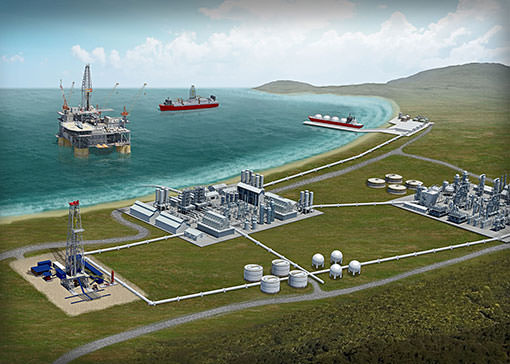
The next phase is to find as many photo references as possible of any items that will be in the illustration. These help to ensure the most realistic images possible. These can be provided by the client or collected by me. It is also helpful to have digital files of any business logos or any text that will be used in the illustration. To the right is an example of an illustration done in Illustrator, and below is an example of one done in Photoshop, both of which will be discussed more in the next section.
Putting it all together
I then begin the digital part of the process. I take all the gathered photos and the finalized sketch and begin to create either the photoshop or illustrator file, depending on the needs of the client. Photoshop can be used to create very detailed and realistic images, that work great for print and web applications. Its only limitations are the large file sizes it creates and the fact that the image cannot be increased in size once created without losing the clarity of the image. Illustrator works great in any applictation and can be resized to any size needed without losing any of the clarity of the image. However, these images are usually simpler looking and not usually photorealistic.
|
|
|
|